
These concepts apply across many electronic knitting machines. Available functions, names, icons, and controls vary by model. Double High is also available on supported punchcard machines.
Common variations
These drawings illustrate the effect. They are not replicas of machine buttons.
| Variation | What it does | Example | Punchcard machines | Electronic machines |
|---|---|---|---|---|
| Reverse | What it does Flips the motif left to right. Useful for directional motifs and lettering. | Example | Punchcard machines Not generally a built-in control. | Electronic machines Where supported |
| Horizontal Mirror Image | What it does Combines the motif with its horizontal reflection to create a mirrored repeat. This is different from simply flipping the original motif. | Example | Punchcard machines Not generally a built-in control. | Electronic machines Where supported |
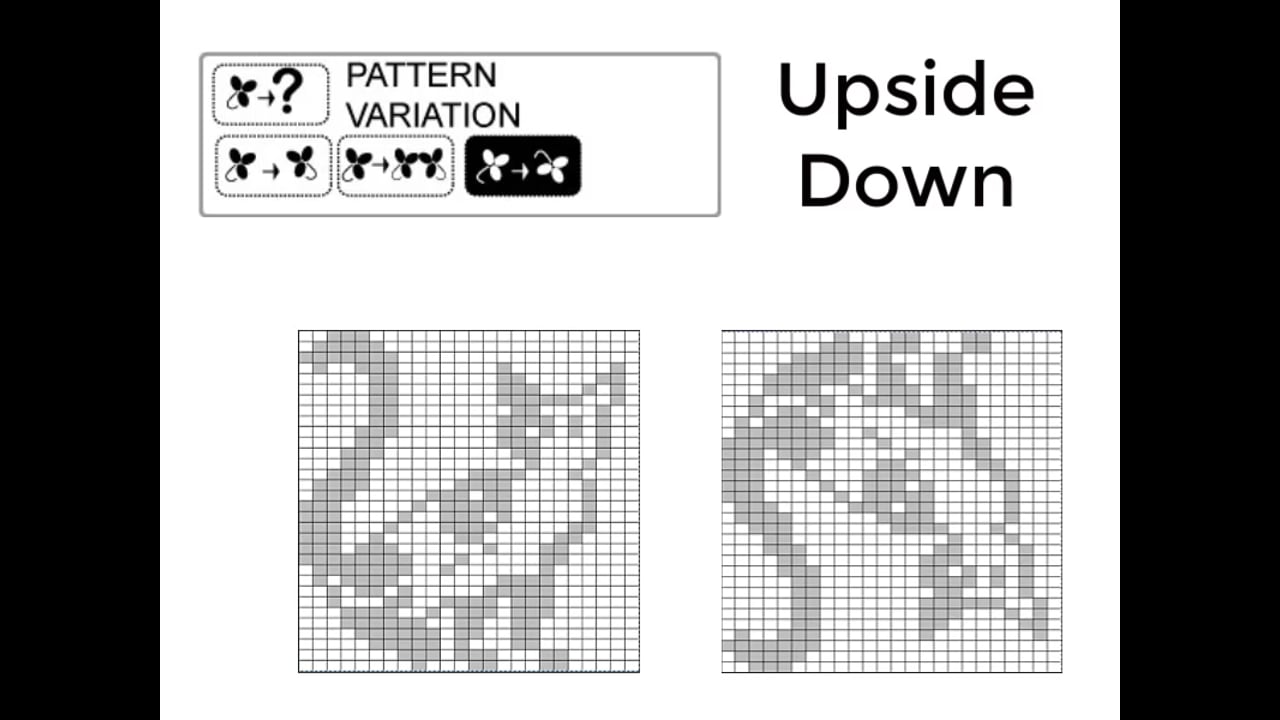
| Upside Down | What it does Flips the motif top to bottom. Useful when planning turned-up cuffs or top-down knitting. | Example | Punchcard machines Not generally a built-in control. | Electronic machines Where supported |
| Vertical Reflection | What it does Combines the motif with its vertical reflection to create a reflected repeat. This is different from simply turning the original motif upside down. | Example | Punchcard machines Not generally a built-in control. | Electronic machines Where supported |
| Double Wide | What it does Repeats each pattern column twice, doubling the pattern repeat’s width in stitches. | Example | Punchcard machines Not generally a built-in control. | Electronic machines Where supported |
| Double High / Double Height | What it does Repeats each pattern row twice, doubling the pattern repeat’s height in knitted rows. | Example | Punchcard machines Available on supported models; check your manual. | Electronic machines Where supported |
| Rotation | What it does Rotates the motif. The available directions and limitations depend on the machine or software. | Example | Punchcard machines Not generally a built-in control. | Electronic machines Where supported. Available directions depend on the machine or software. |
| Negative / Reverse Selection | What it does Swaps selected and unselected areas of the stitch pattern. This changes needle selection rather than the motif’s orientation. | Example | Punchcard machines Not generally a built-in control. | Electronic machines Where supported |
| MC Rib / Jacquard Variation | What it does On the Brother 970/CB1, adapts suitable multicolor patterns for double-bed jacquard knitting. Follow the machine and ribber instructions. | Example See the description. | Punchcard machines Not generally a built-in control. | Electronic machines Where supported on the Brother 970/CB1 |
Some of these effects can be achieved on a punchcard machine by changing, reversing, or repunching the card, depending on the machine and pattern.
Repeating each column or row twice doubles the pattern repeat in stitches or knitted rows. Stitch structure and gauge affect how that change shows up in the finished fabric.
Watch: Stitch Pattern Variations on the Brother 970
This video demonstrates Brother 970/CB1 controls, while this guide explains broader concepts that apply across many machines.
Troubleshooting
If your pattern looks different from what you expected, check which variations are active. Turn off unwanted variations, then confirm the settings needed for your project.